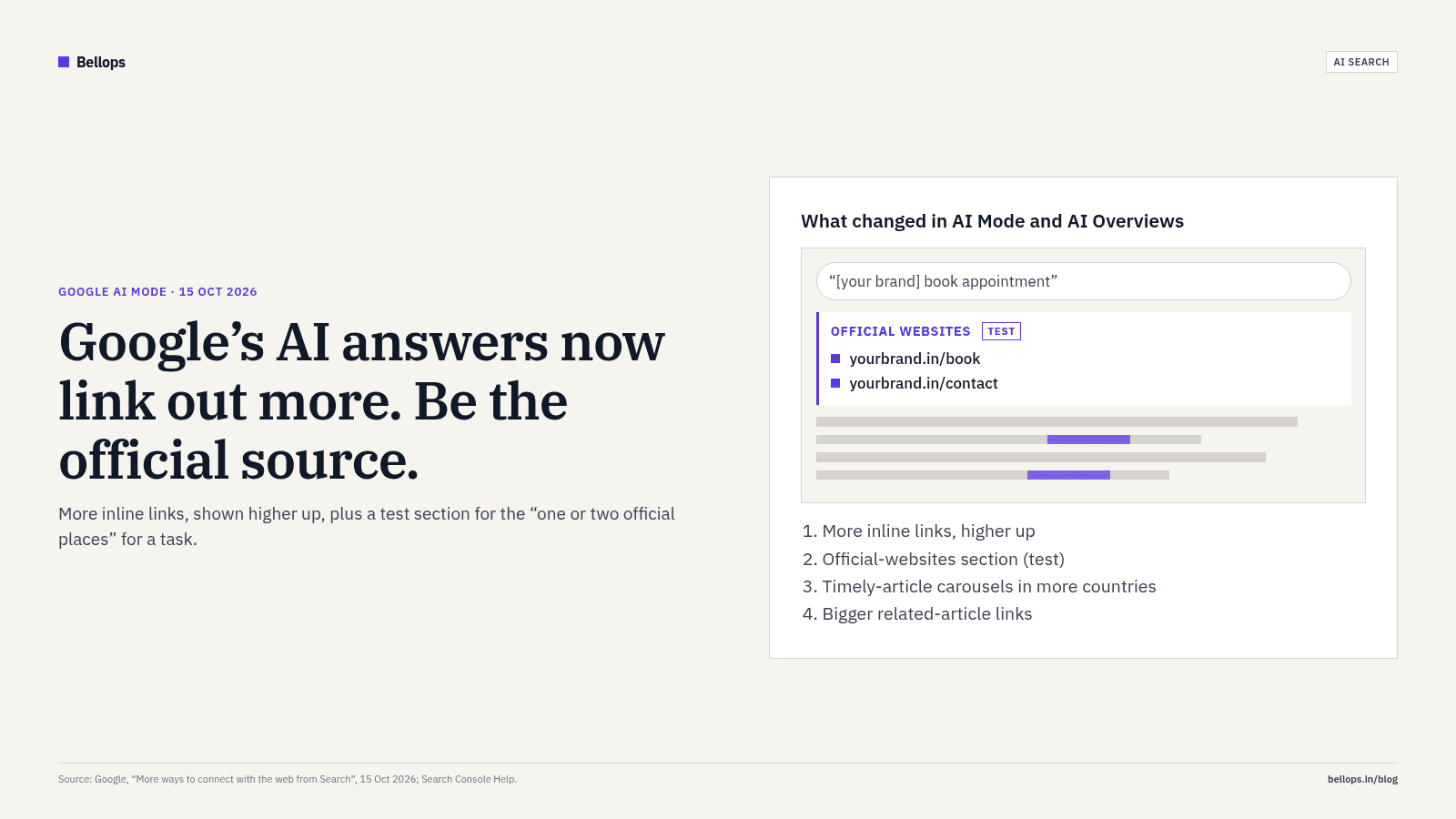
Short answer: on 15 October 2026 Google said it is putting more links inside AI Mode and AI Overviews, showing them higher up in answers, and testing a new section at the top of some answers that points to the "one or two official places on the web" for a task (Google, 15 Oct 2026 (opens in a new tab)). For an Indian business, that makes one thing more important than it was a month ago: Google has to be able to tell, without guessing, that your website is the official place for your brand, your services and your prices.
This post covers what changed, what it means if you run a small or mid-sized business in India, how to check your numbers in the new Search Console report, and a short list of fixes you can make this week.
What Google announced on 15 October 2026
Google's post, written by Hema Budaraju (VP, Product Management), lists five changes to its AI search features (Google blog (opens in a new tab)):
- More inline links. These are links set inside words or phrases of an AI answer. Google says it has "made continued and substantial increases" to them and will show them "higher up in responses more frequently".
- An official-websites section (a test). For tasks where only one or two official sites can help, Google is testing a dedicated section at the top of the answer, "with context about why each link is useful".
- Timely-article carousels in more countries and languages. These carousels also highlight a searcher's Preferred Sources. Google says Preferred Sources use has grown "more than 7x since the start of the year".
- Bigger related-article links at the end of some answers, with thumbnails.
- Clickable creator and publisher names on video results, linking to Search profiles (also a test).
Search Engine Land's coverage adds a useful note of caution: Google still does not break out clicks for these features in Search Console, so nobody outside Google can yet say how many people actually click (Search Engine Land (opens in a new tab)). 9to5Google summarised the same changes on the day (9to5Google (opens in a new tab)).
Why this matters for Indian businesses buying a website
Most small-business websites in India are built to be looked at, not to be understood by a machine. A good-looking homepage that says "We deliver excellence" in a slider tells Google very little. A page titled "Website design in Delhi — prices from ₹X, 3-week timeline", with the price in plain HTML text, tells it a lot.
The official-websites test rewards that clarity. Think about queries like these:
- "[your brand] contact number"
- "[your brand] price list"
- "[your clinic] book appointment"
- "[your company] GST invoice download"
For each of them there really is only one official answer: your site. If your site makes that answer hard to find (a phone number only inside an image, prices only in a PDF, booking only through a WhatsApp link with no page behind it) Google has less to point at, and an aggregator, a directory or a reseller may be cited instead.
Independent data suggests AI features are already reshaping clicks, though the numbers vary by study and none is India-specific:
- SEOcrawl's study of 16,661 sites reported Google organic clicks down 15% year over year, while AI-referred sessions grew about 45% but still amounted to only 1.25 visits per 100 from Google organic (SEOcrawl, 2026 (opens in a new tab)). It also notes that clicks from AI Overviews and AI Mode are counted as ordinary organic clicks, so measured "AI traffic" is a floor.
- A study of 155 sites' Search Console data found queries that look like follow-up replies to an AI ("yes please", "what about salary") are still small, at 0.13% of impressions, but growing quickly, and they were clicked far less often: 2.9% CTR versus 35.6% for all queries pooled (GSC Wizard, 14 Oct 2026 (opens in a new tab)).
The honest reading: AI answers are taking some informational clicks, and Google is now trying to send more of the remaining clicks to clearly official sources. Being the obvious official source is the part you control.
How to see whether Google's AI features show your site
Since 31 August 2026, every site in Search Console has a Generative AI performance report (Search Console Help (opens in a new tab); Google Search Central blog (opens in a new tab)). It shows how often links to your site appeared in AI Overviews and AI Mode.
What it gives you:
- Impressions only, broken down by page, country, date and device.
- No clicks, no CTR, no position, and no queries.
- The report may not appear if your site has too few AI-feature impressions, or if you have opted out using the Search generative AI control (Search Console Help: generative AI control (opens in a new tab)).
Clicks from links in AI features are still counted, but inside your normal Performance report, mixed with ordinary organic clicks. One practical detail for Indian teams: Search Console dates are in US Pacific Time, so a report "day" begins at 12:30 PM IST while the US is on daylight time (Vilva Business guide (opens in a new tab)).
A 15-minute routine:
- Open the Generative AI report. Filter Country = India.
- Sort the Pages tab. Note which pages Google's AI shows most, and which important pages (pricing, services, contact) are missing.
- In the normal Performance report, compare the same pages over the last three months. Rising impressions with falling clicks often means an AI answer is now covering that question.
- Write the result down monthly. You need a baseline before the next change arrives.
Seven fixes that help Google treat you as the official source
None of these are tricks. They are what a well-built business website should already do.
1. Put the facts in text, not images. Prices, phone numbers, addresses, timings and service areas should be real HTML text. Our premium website design builds do this by default, and it costs nothing in design quality.
2. One clear page per service, with the answer near the top. If someone asks "how much does a 3D website cost in India", the page should answer in the first paragraph. Our own 3D website cost guide follows that pattern, with starting prices in a table.
3. Use structured data that matches the page. Organization or LocalBusiness with your official name, logo, address, phone and sameAs links to your real profiles. Google's October 2026 content guidance says metadata and structured data need the same accuracy check as the visible page (Google Search Central (opens in a new tab)). Never mark up reviews or prices you don't show.
4. Keep your Google Business Profile, social bios and website consistent. Same name, same phone, same address. Conflicting details make it harder to decide which source is official.
5. Make the "do the task" pages fast on a phone. If Google sends someone to your booking page, it has to work on a mid-range Android on mobile data. Being cited is wasted if the page then stalls.
6. Write for the follow-up question. AI Mode is a conversation. After "best CA firm in Noida" comes "what do they charge" and "do they file GST returns". An FAQ section with real, specific answers on each service page covers those follow-ups.
7. Don't block what you want cited. Check robots.txt, noindex tags and any AI opt-out settings before assuming Google is ignoring you. If you've opted out of generative AI features, you've also opted out of being linked from them.
Our SEO services start with exactly this audit: what Google can read, what it shows, and what's missing.
What not to do
- Don't mass-produce AI pages to "get into" AI answers. Google's spam policy on scaled content abuse still applies, and its 1 October 2026 update says AI output must be fact-checked by hand before publishing (Google Search Central (opens in a new tab)).
- Don't chase a rumoured update. As of the end of October, Google's Search Status Dashboard shows no October ranking update; the most recent entry is the September 2026 spam update, which finished on 8 October (Google Search Status Dashboard (opens in a new tab)).
- Don't judge success by AI impressions alone. They don't pay the bills. Track enquiries, WhatsApp clicks and form submissions in GA4 alongside the Search Console numbers.
Where Bellops fits
We design and build fast, clearly structured websites for Indian businesses, from 3D and WebGL experiences to lean service sites. If you want to know whether Google can tell your site is the official source for your brand, send us your URL and we'll tell you what we see.
FAQ
What did Google change in AI Mode on 15 October 2026? Google said it is adding more inline links to AI Mode and AI Overviews and showing them higher in answers, testing a section at the top of some answers for official websites, expanding timely-article carousels, making related-article links more prominent, and testing clickable creator names on video results (source (opens in a new tab)).
Is the official-websites section live in India? Google described it as a test and did not list countries in its announcement. Treat it as something that may appear, not a guaranteed feature.
Can I see clicks from AI Overviews in Search Console? Not separately. The Generative AI report shows impressions only. Clicks from AI features are counted inside the normal Performance report (Search Console Help (opens in a new tab)).
Do I need a new website to benefit? Not always. Many sites can be fixed by moving key facts into text, adding a clear page per service, and correcting structured data. A rebuild makes sense when the site is slow on mobile or impossible to edit.
Will this increase my traffic? Nobody can promise that, including Google. It makes it more likely that, when Google's AI does link out for a task about your brand, the link goes to you.
Should I opt out of AI features to protect clicks? Opting out also removes the chance of being linked. For most businesses that sell services or products, staying visible is the better trade, but it is a business decision. Check Google's control documentation first (source (opens in a new tab)).