
Short answer: on 13 October 2026, Chrome added experimental versions of all three Core Web Vitals (LCP, INP and CLS) to the Chrome UX Report that also measure soft navigations, the page changes a React, Next.js or other single-page app makes without a full reload (CrUX release notes (opens in a new tab); Search Engine Journal (opens in a new tab)). Stable scores, and the ones Search Console shows, have not changed yet. Chrome is aiming to end the experimental stage around May 2027, and Search Console will switch to the new data after that.
If your website is built on Next.js, React or a headless Shopify front end, this is the first time Google's field data will see how fast your site feels after the first page. Here is what that means and what to fix first.
What actually changed
Until now, CrUX only measured the first page load of a single-page app. When a visitor clicked from your home page to a product page and the app swapped the content in place, all of the interactions and layout shifts on the new view were credited to the landing URL. The new page itself was never measured.
The September 2026 CrUX dataset, published on 13 October, adds three new fields that count both normal loads and detected soft navigations (CrUX release notes (opens in a new tab)). They are available in BigQuery, the CrUX API and the History API, and CrUX Vis has a toggle to compare them.
The data comes from Chrome's Soft Navigations API, which Search Engine Journal reports has been on by default since Chrome 151 on 28 July 2026 (SEJ (opens in a new tab)). Chrome counts a soft navigation when a user action causes both a visible URL change and a visible paint.
The numbers Chrome published
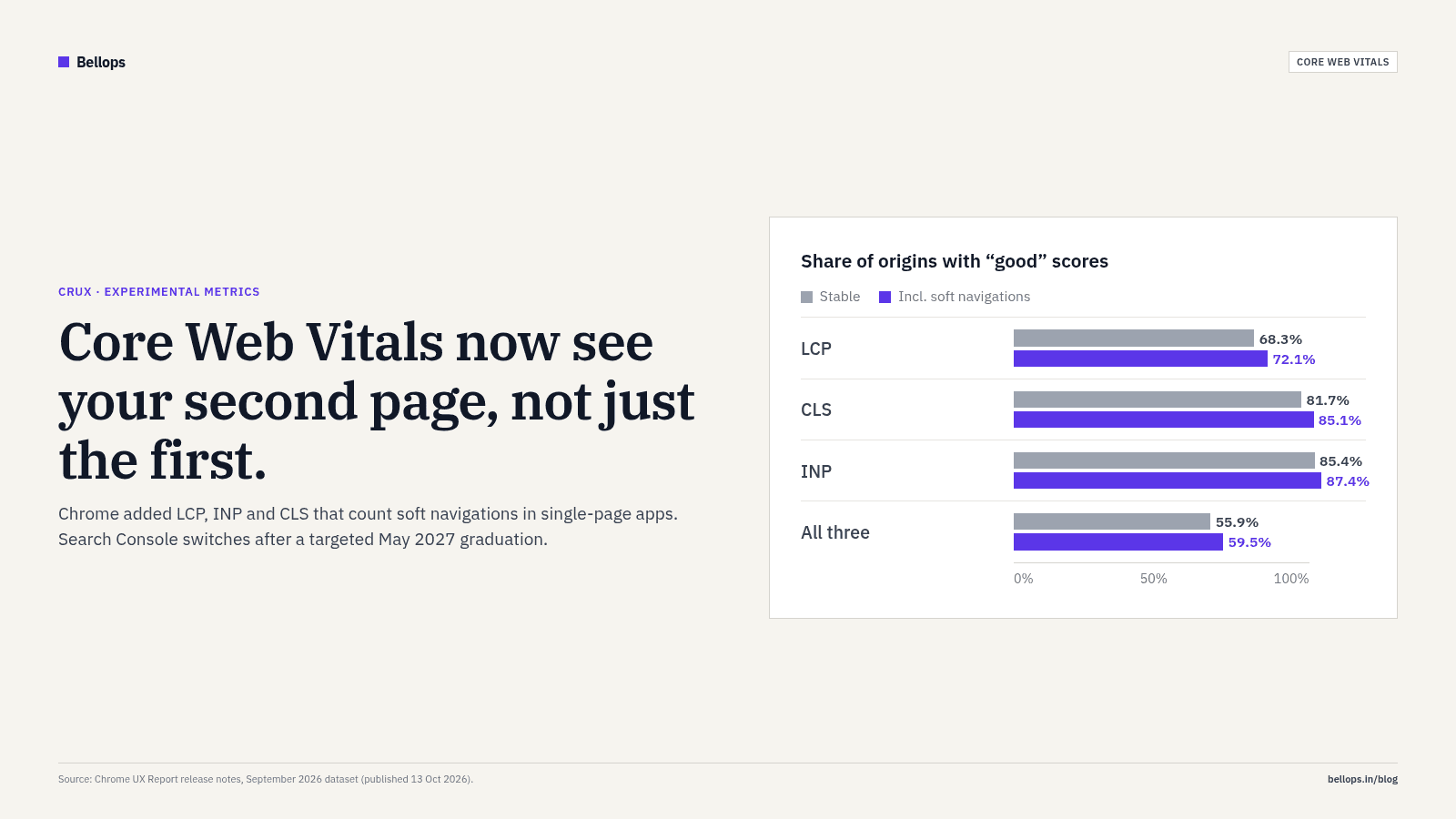
From the September 2026 CrUX dataset (release notes (opens in a new tab)):
| Share of origins with "good" | Stable (current) | Including soft navigations |
|---|---|---|
| LCP | 68.3% | 72.1% |
| CLS | 81.7% | 85.1% |
| INP | 85.4% | 87.4% |
| All three Core Web Vitals | 55.9% | 59.5% |
Across all origins, including soft navigations makes the numbers look a little better. SEJ reports that about 70% of origins in CrUX have little or no soft-navigation traffic, so most sites won't notice much difference, while sites that rely heavily on soft navigations tend to score higher (SEJ (opens in a new tab)).
That is an average, not a promise. A Next.js site whose in-app pages swap in heavy carousels, chat widgets or 3D canvases could see the opposite on those pages, because their layout shifts and slow interactions are now attributed to them.
Why INP is the metric to watch
Interaction to Next Paint replaced First Input Delay as a Core Web Vital in March 2024, and its "good" threshold is 200 milliseconds (web.dev (opens in a new tab); Google Search Central (opens in a new tab)). It measures how quickly the page visibly responds to taps, clicks and key presses across the whole visit.
Two things in Chrome's own notes stand out:
- In the August 2026 release, Chrome wrote that "the continued regression of INP in particular is a cause for concern", without a definitive reason (CrUX release notes (opens in a new tab)).
- The share of origins with good INP was 85.9% in June, 85.7% in July, 85.3% in August and 85.4% in September 2026 (same source).
Soft-navigation measurement makes INP more honest for app-style sites, because taps on the second, third and fourth view now count against the right URL. Those are often the taps that matter most: size selectors, "Add to cart", filters, pincode checks.
What to do if your site is built on Next.js or React
1. Measure soft navigations yourself now. The open-source web-vitals library added soft-navigation support in version 6 (released 21 July 2026) (web-vitals changelog (opens in a new tab)). Upgrade, enable soft-navigation reporting as the library's v6 guide describes, and send the metrics to GA4 with the page path. You will have months of your own data before Search Console switches.
2. Check CrUX Vis for your origin. If your site has enough traffic to appear in CrUX, compare the stable and soft-navigation views. If the soft-nav numbers are worse, the problem is on in-app pages, not the landing page.
3. Fix the second page, not just the first. Typical offenders on App Router sites:
- Large client components hydrated on every route. Keep pages as Server Components and push
'use client'down to the smallest interactive piece. - Third-party scripts (chat, reviews, heatmaps) re-initialising on route change. Load them once, after interaction, with
next/scriptandstrategy="lazyOnload"where possible. - Layout shifts when new content swaps in. Give images and embeds fixed dimensions, and use
loading.tsxskeletons that match the final layout. - Heavy click handlers. Split long tasks, update the UI first (for example, show "Added" right away) and do analytics and network work after.
4. Treat 3D carefully. A WebGL hero is fine if it loads after the main content and pauses when off screen. It is not fine if the canvas re-mounts on every route change. Our 3D website design builds load the 3D layer lazily, with a lightweight placeholder, so the rest of the page stays responsive.
5. Don't over-react before May 2027. Stable scores are unchanged today, and Chrome says graduation timing depends on feedback (SEJ (opens in a new tab)). Use the next six months to measure and fix, not to panic-rebuild.
Should you avoid single-page apps?
No. Done well, client-side navigation is faster for visitors than a full reload, and Chrome's own aggregate numbers improve when soft navigations are counted. The change simply removes a blind spot. If your in-app pages are quick, the new data will show it.
The sites that should worry are the ones where the homepage was optimised for a Lighthouse screenshot while the product and checkout views were left heavy. Google's ranking systems use Core Web Vitals as one signal among many (Google Search Central (opens in a new tab)), but your customers notice every slow tap.
How Bellops can help
We build premium websites on Next.js with performance budgets per route, and our SEO services include a Core Web Vitals audit with real-user measurement set up in GA4. If you'd like us to check how your in-app pages behave, get in touch.
FAQ
What is a soft navigation? A page change inside a single-page app where the URL and visible content change without the browser loading a new document. Chrome counts one when a user action causes both a URL change and a visible paint (SEJ (opens in a new tab)).
Has Google changed how Core Web Vitals affect rankings? No announcement says so. The soft-navigation metrics are experimental, stable CrUX scores are unchanged, and Search Console will adopt the new data only after the experimental stage ends, targeted for May 2027.
Will my Next.js site's scores go up or down? It depends on your in-app pages. Across all origins, Chrome's September 2026 data shows higher pass rates with soft navigations included, but individual sites can move either way (CrUX release notes (opens in a new tab)).
What is a good INP? 200 milliseconds or less, measured at the 75th percentile of visits (web.dev (opens in a new tab)).
My site isn't in CrUX. What should I do?
Low-traffic sites may not have CrUX data. Add the web-vitals library and send metrics to GA4 so you have your own field data.
Does a 3D website hurt INP? It can if the 3D scene blocks the main thread or re-mounts on every route. Built carefully, with lazy loading and off-screen pausing, it doesn't have to.